Tutorial: run a sprint with the Kanban board
The Sprint Board isn’t a picture of your work - it does the work. Cards dispatch to agents; the Crew can run the whole board while a Judge keeps quality up.
1. Set up the board
Section titled “1. Set up the board”Open it from the left toolbar’s Tools menu (or “open kanban”). Add cards with the input at the top - one card per task, like “Wire recipe save endpoint”:
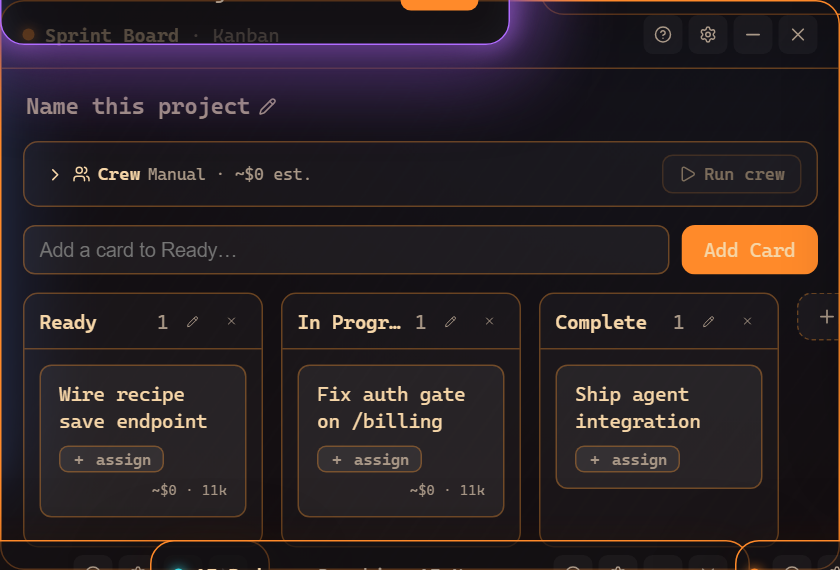
Each card shows an assign chip and a live cost/token readout once it runs.
2. Assign a card to an agent
Section titled “2. Assign a card to an agent”Click + assign on a card and pick an agent - or do it the HQ way, from the command bar:
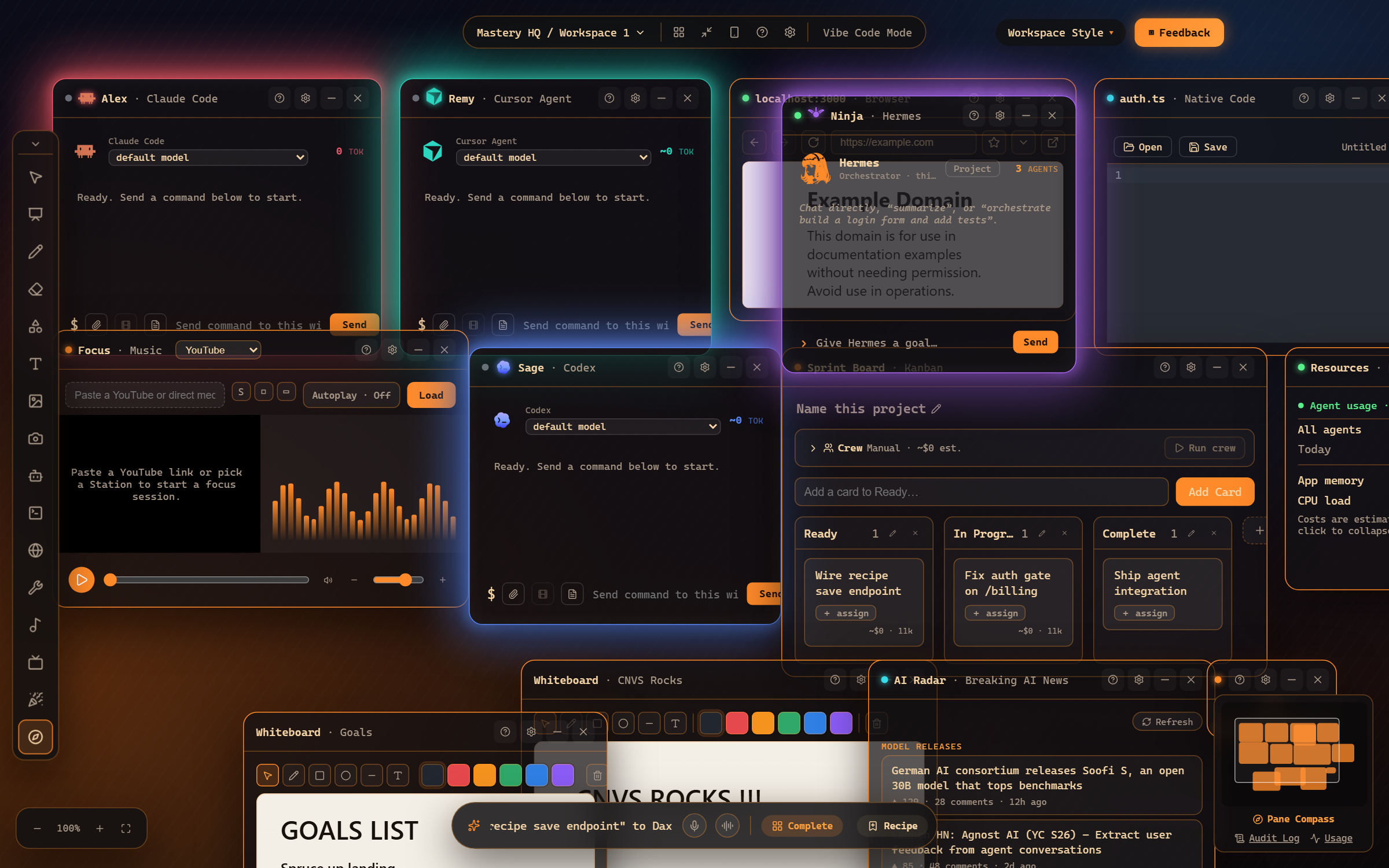
The agent gets the card as a brief, works it in its own window, and the card advances as it progresses. You can watch the window or let it run.
3. Let the Crew run the board
Section titled “3. Let the Crew run the board”The Crew bar above the columns turns the board into a self-running sprint: an Orchestrator plans and assigns, Specialists work cards on the right models for the job, and a Judge scores each result before a card may complete - weak work goes back with feedback, automatically. The bar shows a live cost estimate; press Run crew when you like the plan.
4. Resume and review
Section titled “4. Resume and review”Cards remember their runs - reopen one to see what was done, or resume an interrupted card. The Audit Log keeps the paper trail.
Where to go next
Section titled “Where to go next”- The Sprint Board - columns, cards, projects.
- Dispatch and resume - how cards drive agents.
- The Kanban Crew - Orchestrator, Specialists, Judge, and costs.
Frequently asked questions
What happens when an agent finishes a card?
The card moves along the board and the result is recorded on it. With the Crew enabled, a Judge model scores the work first - weak work goes back for another pass automatically.
Can I estimate cost before running a board?
Yes - the Crew bar shows a live token/cost estimate for the plan before you press Run crew.