Tutorial: let models debate, then measure them
Which model should get your hardest work? Don’t guess - make them compete. The Model Council has models argue a question in rounds; the Benchmark suite scores them on your actual tasks.
1. Convene a Council
Section titled “1. Convene a Council”Open Tools → Model Council:
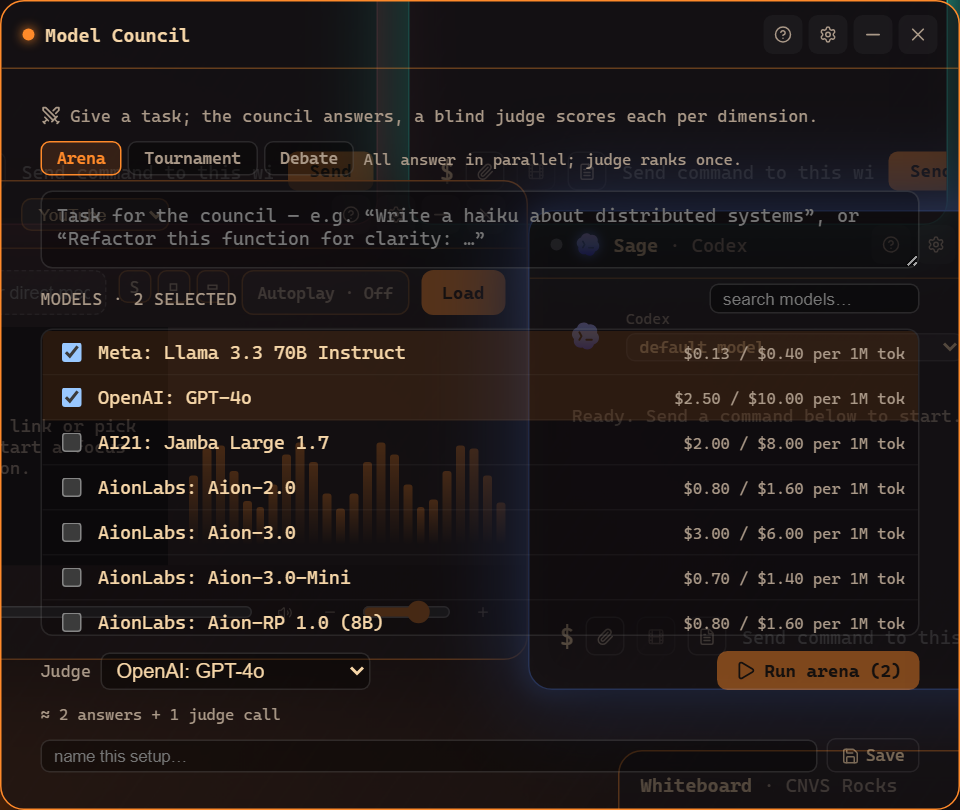
Give it a question that matters (“How should we structure the sync engine?”), seat two or more models, and run. Each states a position, reads the others, and rebuts - you get the strongest version of every side, not one model’s first take.
2. Benchmark on YOUR tasks
Section titled “2. Benchmark on YOUR tasks”Public leaderboards test someone else’s problems. Tools → Benchmark tests yours:
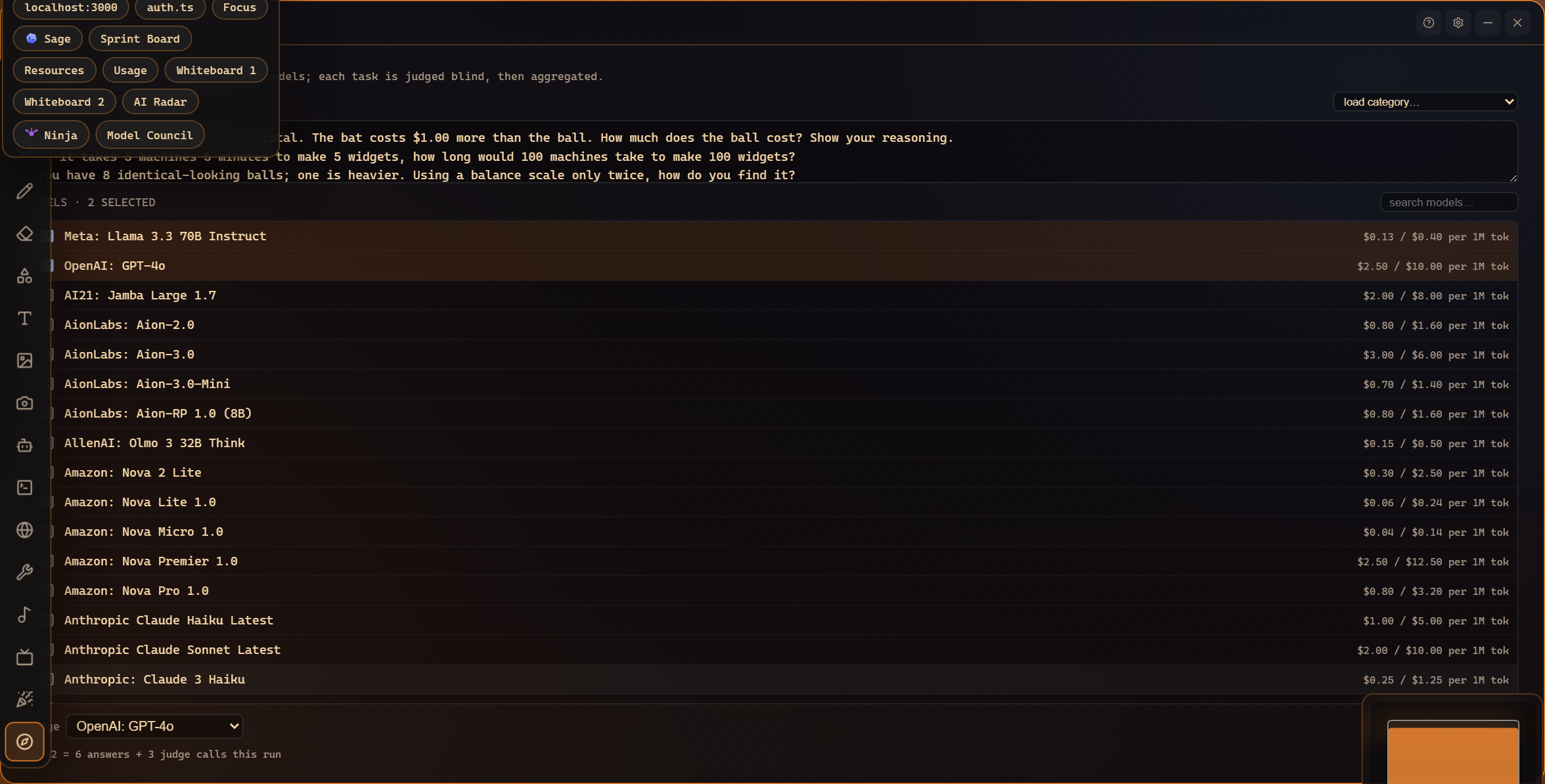
Add tasks (real prompts from your work), pick contenders, run. Results are scored side by side, so “which model writes our kind of code best” becomes a number instead of a vibe.
3. Act on the results
Section titled “3. Act on the results”Winners earn assignments: set the strong model as an agent window’s model, point the Kanban Crew’s Judge at the most critical one, route cheap tasks to the budget pick. Benchmark and Council results feed the same intuition the Command Center tracks over time.
Where to go next
Section titled “Where to go next”- The Model Council - rounds, formats, transcripts.
- The Benchmark suite - scoring, saved suites, history.
- OpenRouter models - widening the contender pool.
Frequently asked questions
How many models does a Council need?
At least two (plus at least one task for a Benchmark run) - the Run button stays disabled until the run makes sense.
Which models can take part?
Anything you can run: your installed agent CLIs and any OpenRouter model you've configured.